
Buoy
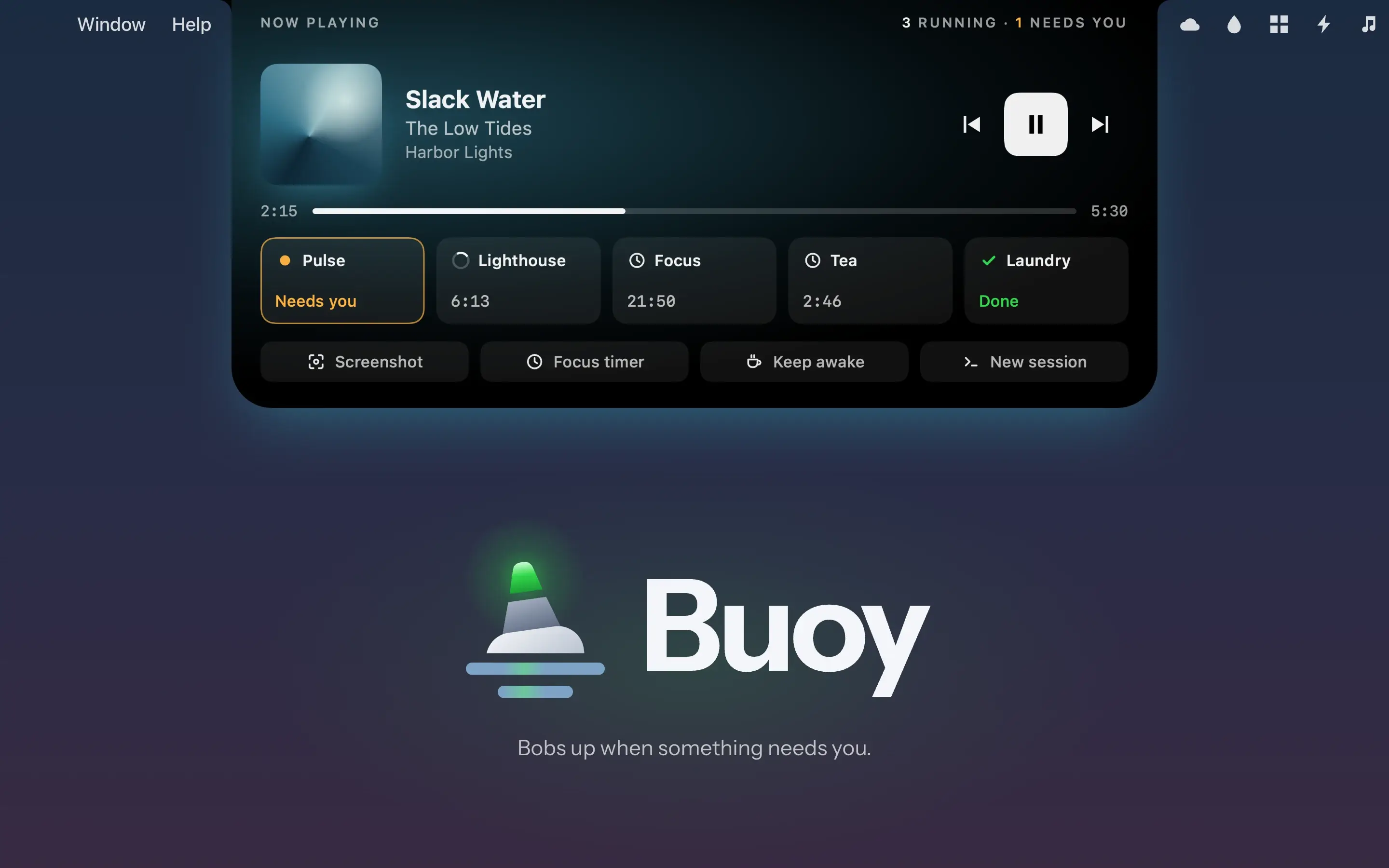
The MacBook's notch, put to work: your music, your timers and any AI session waiting on you.
Why it exists
With a few Claude sessions running and music on, I kept switching apps just to see whether anything needed me. Meanwhile the notch on my MacBook sat there doing nothing, so I gave it the job.
What it does
- The notch stays dark until something's live. Then it grows small wings and a glow: your album's color while music plays, amber when a session needs you, red when something failed.
- Hover and a panel drops down with the music controls and everything running as tiles, with what needs you first. Click a session's tile and you're in that session.
- Timers sit beside your sessions, and a slim row of quick links waits underneath: a screenshot, a focus timer, keep awake or a new Claude session.
Under the hood
Buoy is native: SwiftUI views in an AppKit panel that sits over the notch, written in Swift 6. Claude Code tells it what each session is doing through hooks, so nothing waits on a server. Now playing comes through one bundled script, so when the next macOS changes something, there's one piece to fix.
- Role
- Product, design, build
- Platforms
- macOS, built for a 14-inch MacBook Pro
- Stack
- Swift, SwiftUI, AppKit
- Status
- In build
- Year
- 2026