Pulse
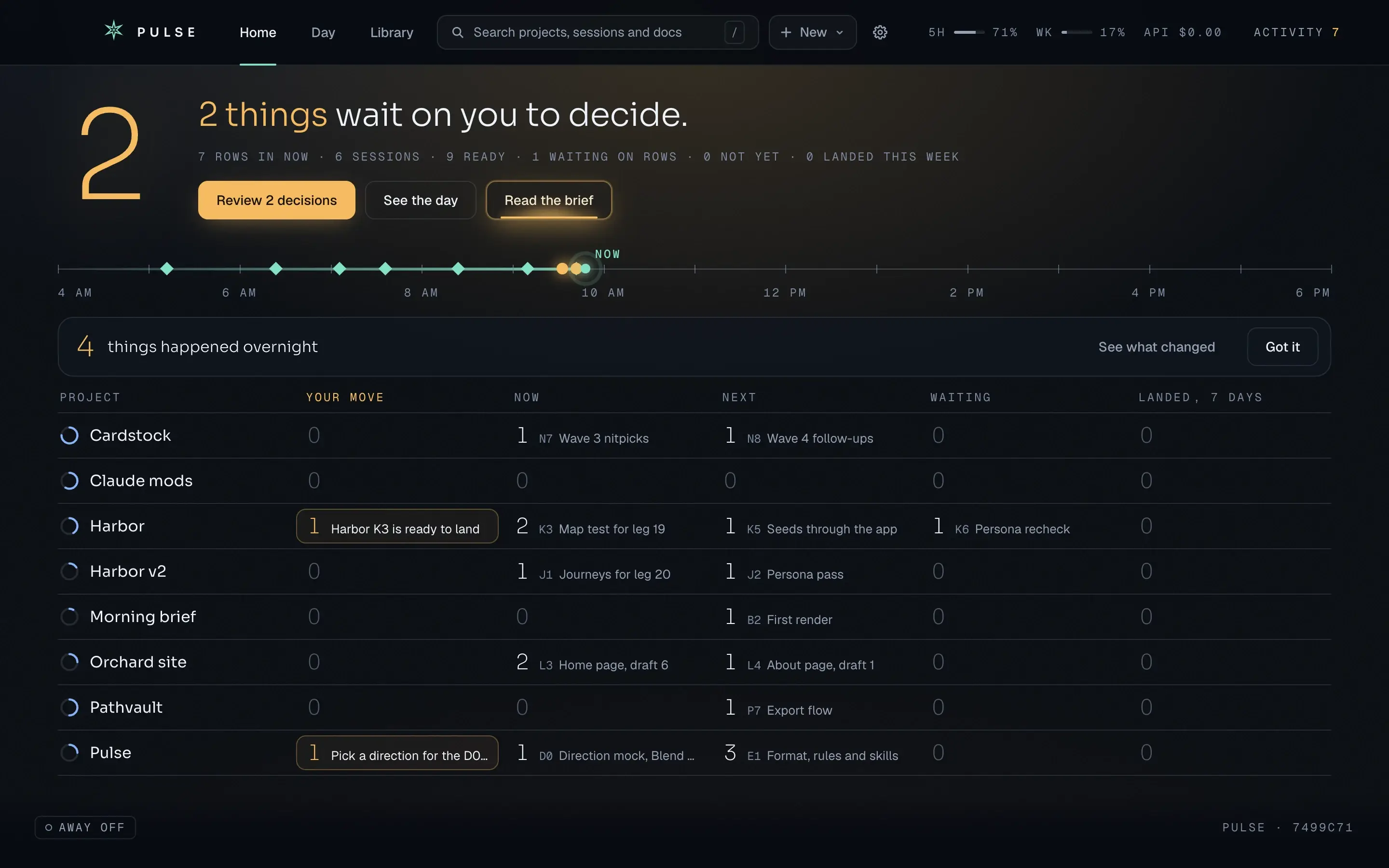
Every project and AI session in one view, with only the calls that need you up front.
Why it exists
Run enough AI coding sessions across enough projects and the code stops being the hard part. The hard part is knowing which session is waiting on you, what landed overnight and what you decided last week. Pulse is my second go at it. The first, Parallel, ran sessions side by side and did too much, too loudly, so Pulse stays quiet until something needs you.
What it does
- Home leads with one number, the things waiting on you, and a sentence that names them. Click the number and you're at the first one.
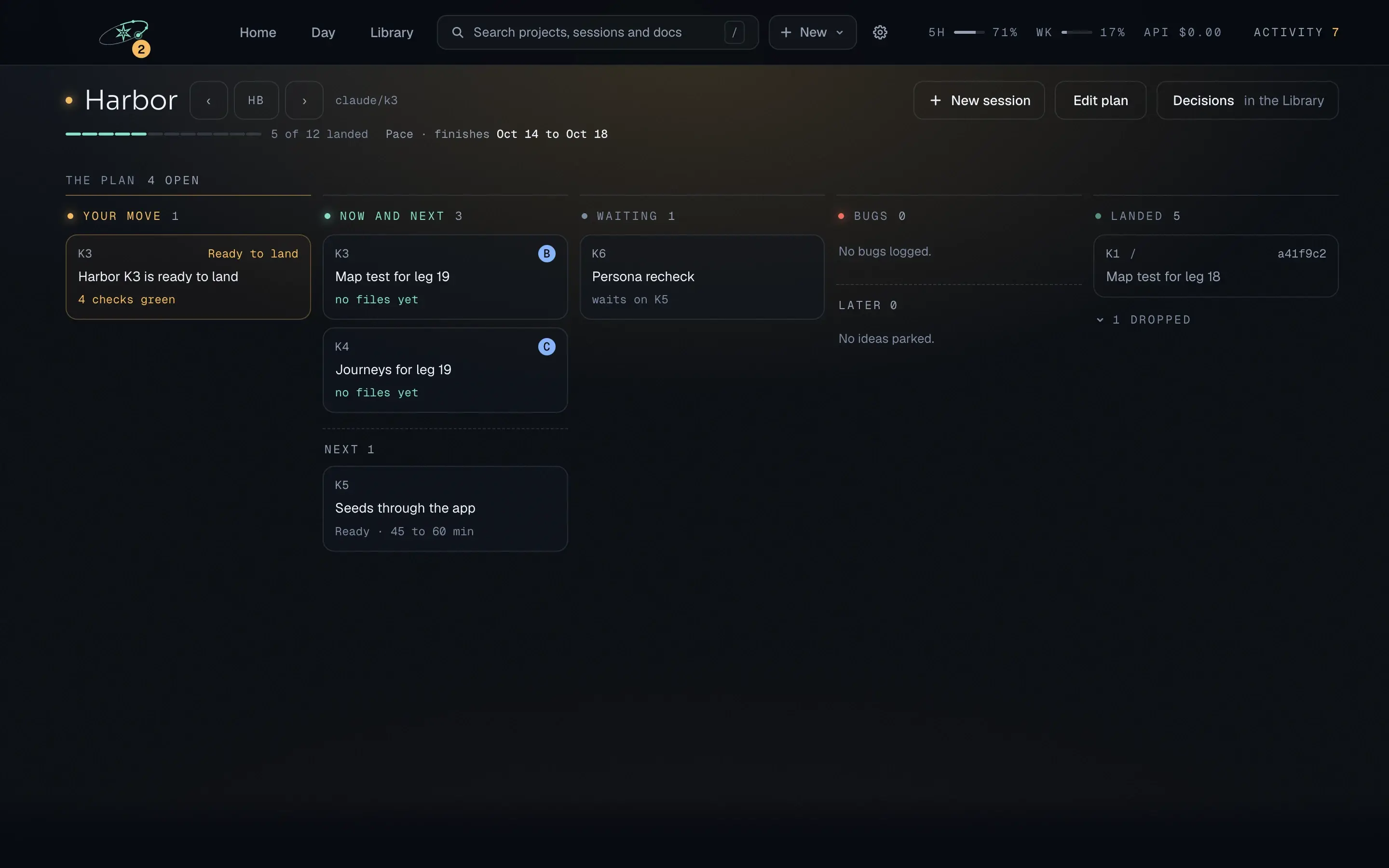
- Pulse and your sessions always agree on where things stand, because both read the same plan files in the repo. Each project page shows the plan, the sessions running on it and what each one waits on.
- Last week's decision is one search away. Every scope, decision and research note sits in one library, newest first, and search reads the whole text.
Under the hood
Pulse doesn't keep a second copy of the truth. It has no database of its own: the Electron app, in TypeScript and React, reads the plan files each repo already keeps. Claude Haiku writes the morning brief, and unit tests and type checks run on every push.
- Role
- Product, design, build
- Platforms
- macOS; Windows next
- Stack
- Electron, React, TypeScript
- Status
- In build
- Year
- 2026